

Borrow assets
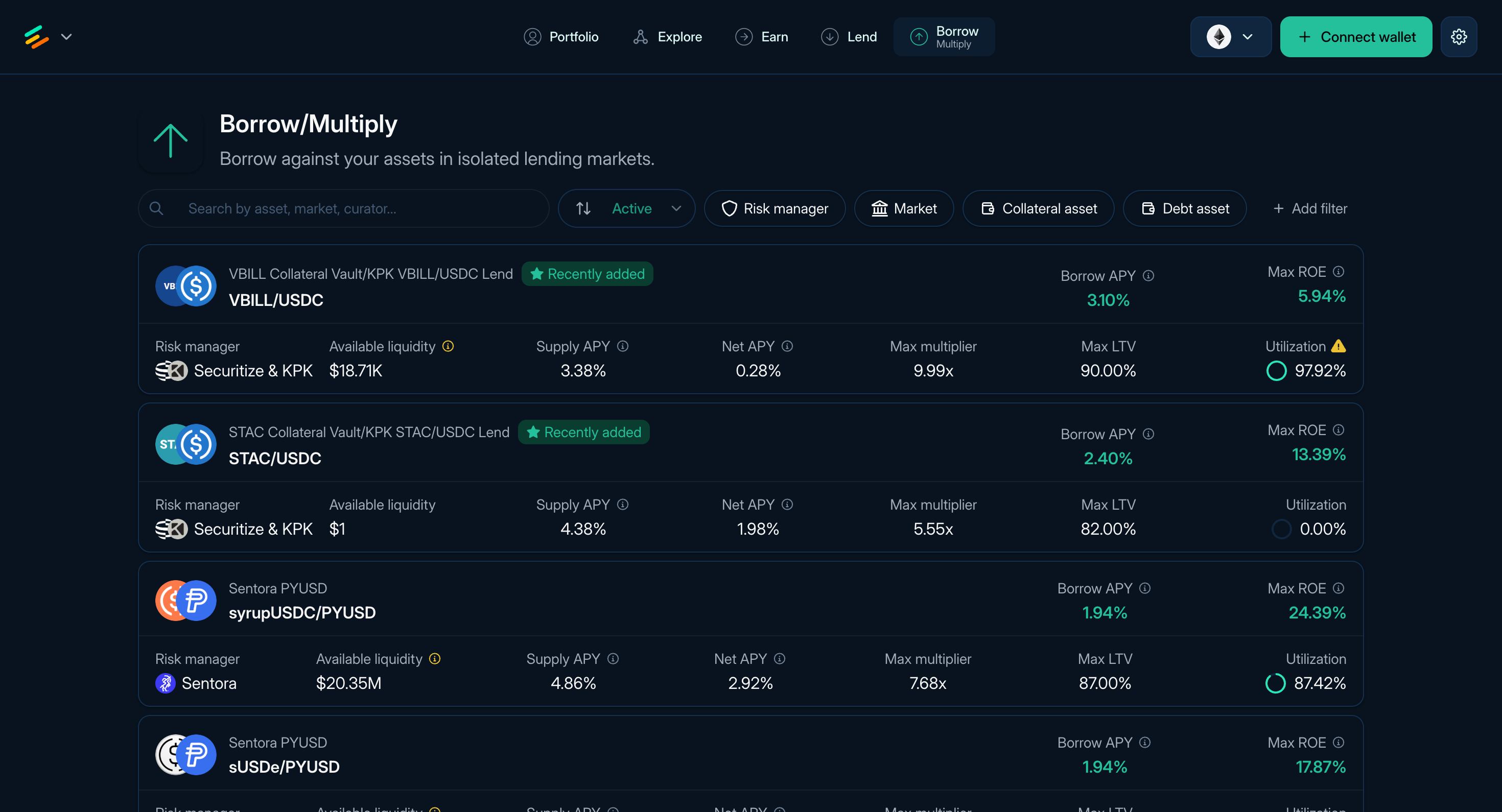
Figure 1: The Borrow page of Euler
Borrowing on Euler lets you use accepted collateral to borrow from a liability vault. Borrowing starts from Borrow. After you open a position, it appears in Portfolio under Positions.
What borrowing does
When you borrow:
- You supply or select collateral accepted by the borrow vault.
- The borrow vault records debt through the Ethereum Vault Connector, or EVC.
- Borrowing capacity depends on collateral value, the oracle route, borrow LTV, available liquidity, and caps. Liquidation LTV separately determines when the position becomes eligible for liquidation.
- Borrowers pay interest based on the vault's Interest Rate Model.
- The position can become liquidatable if collateral no longer supports the debt.
Find a borrow pair
The Borrow page (app.euler.finance/borrow) lists available collateral and debt pairs.
Each row shows the curator, collateral asset, debt asset, Supply APY, Borrow APY, Net APY, Max ROE, maximum multiplier, Max LTV, utilization, and available liquidity. Sort or filter the table, then open a pair to review details.
Borrow flow
- Choose a pair from Borrow.
- Enter the debt asset amount.
- Select collateral from wallet assets or an existing deposited balance where supported.
- Approve token spending if your wallet asks.
- Review borrowed amount, collateral amount, health score, LTV, liquidation price where shown, oracle route, rates, liquidity, token approvals, and gas estimate.
- Confirm the transaction in your wallet.
The borrowed asset is sent according to the app flow, and the position appears in Portfolio.
Read next: Borrow review and risk, Portfolio and liquidation, and Managing positions.