

Managing positions
Position management happens in Portfolio. Direct lending and Earn deposits appear under Deposits; Borrow and Multiply positions appear under Positions with their own detail pages. Leveraged positions require closer monitoring because rates, prices, liquidity, and swap execution have a larger effect on equity.
How to manage a Borrow or Multiply position
- Open Portfolio > Positions and select the position.
- Choose the action you want to take.
- Review the resulting balances, debt, LTV, health score, and token approvals. For swaps, also check expected amounts, route, price impact, and slippage tolerance.
- Confirm the transaction in your wallet.
Managing deposits
For direct lending deposits, the available actions can include:
- Supply: Add more assets to the vault.
- Withdraw: Remove assets when liquidity is available.
- Asset swap: Exchange one deposited asset for another through the app's swap route where supported.
Deposits as a collateral source
Direct lending deposits are not automatically collateral for an existing position. A supported Borrow or Multiply flow can use a deposit as its collateral source; see Supply review.
Managing Borrow/Multiply positions
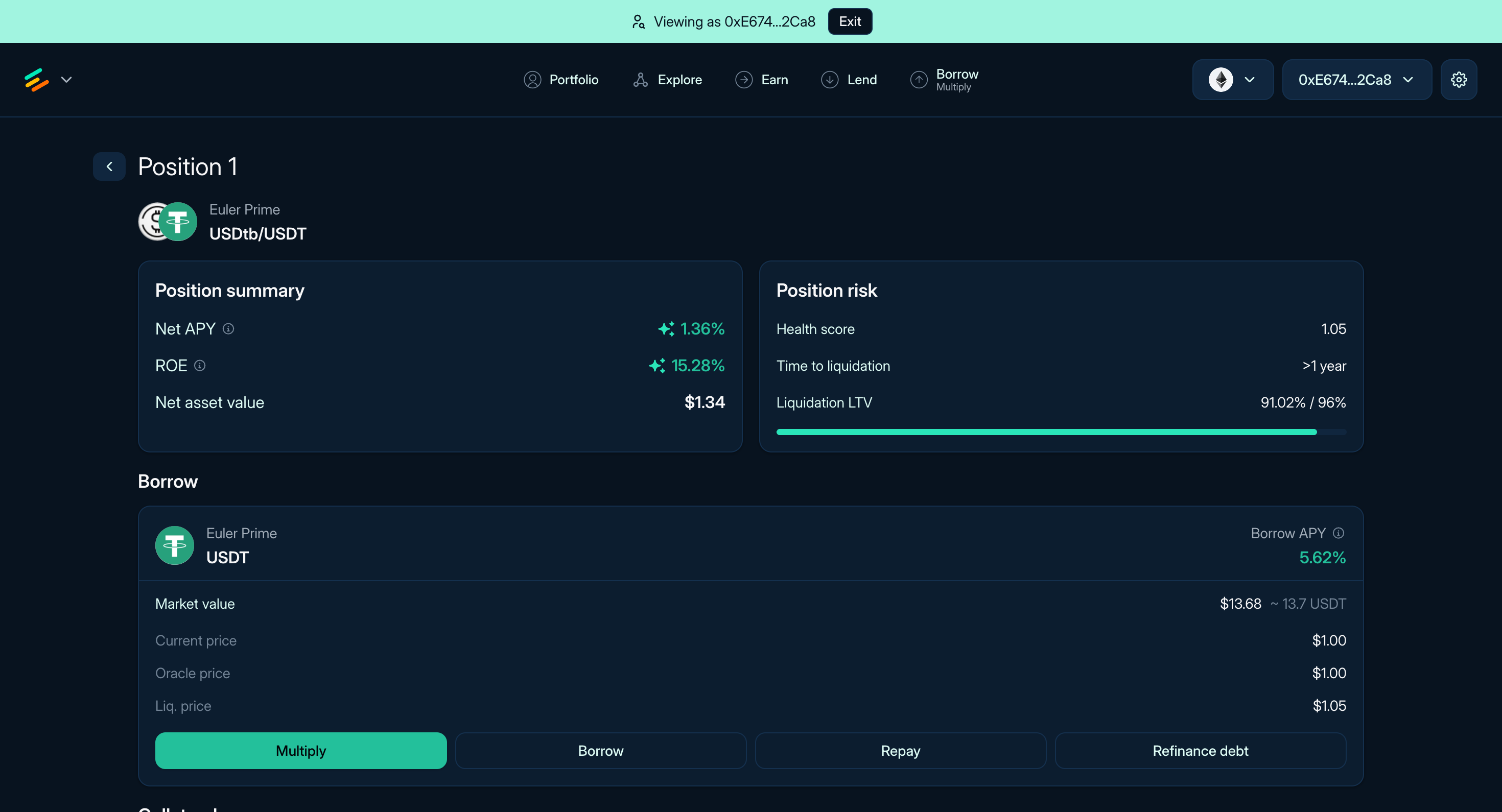
Figure 1: The Position page of a USDC/USDT position
For your Borrow or Multiply positions, you have access to these actions in the UI:
Leverage and debt management
- Multiply: Increase exposure by borrowing, swapping, and adding collateral through the Multiply flow.
- Repay: Reduce debt by paying back borrowed assets from wallet assets, deposits, or collateral where supported.
- Borrow: Borrow additional assets against existing collateral when LTV and liquidity allow it.
Collateral management
- Supply: Add more collateral to your position.
- Withdraw: Remove collateral if the remaining position stays within LTV limits and liquidity is available.
- Collateral Swap: Exchange current collateral for a different asset through the app's swap route.
- Transfer: Transfer collateral shares to another account if the position remains valid.
- Disable Collateral: Stop using a specific asset as collateral if the position remains valid.
For liquidation mechanics, read Portfolio and liquidation. For rate calculations, read Interest rates and Strategy profitability.