

Portfolio and liquidation
Portfolio is the main dashboard for your Euler activity. Use it after supplying, borrowing, opening a Multiply position, depositing into EulerEarn, or claiming rewards.
Portfolio
The Portfolio header summarizes:
- Net APY: estimated net annualized return across the portfolio.
- ROE: estimated return on portfolio equity.
- Total supplied: supplied assets, including deposits and collateral inside positions.
- Total borrowed: borrowed assets across Borrow and Multiply positions.
- Net asset value: supplied value minus debt value in Euler.
Portfolio has four main areas:
- Positions: Borrow and Multiply positions. Each position shows collateral and debt assets, net asset value, ROE, multiplier where relevant, health score, current price, liquidation price where shown, and a link to the position detail page.
- Deposits: EulerEarn and direct lending deposits that are not automatically collateral for Borrow or Multiply positions. Rows show the asset, supplied amount, supply value, Supply APY, and available actions such as Supply, Withdraw, and Asset swap.
- Rewards: claimable rewards and their estimated market value. Reward eligibility and display timing depend on campaign rules and data-indexing updates. Verify the active campaign and claimable amount with the linked distributor before including rewards in position accounting.
- Activity: recent Euler activity for the viewed account.
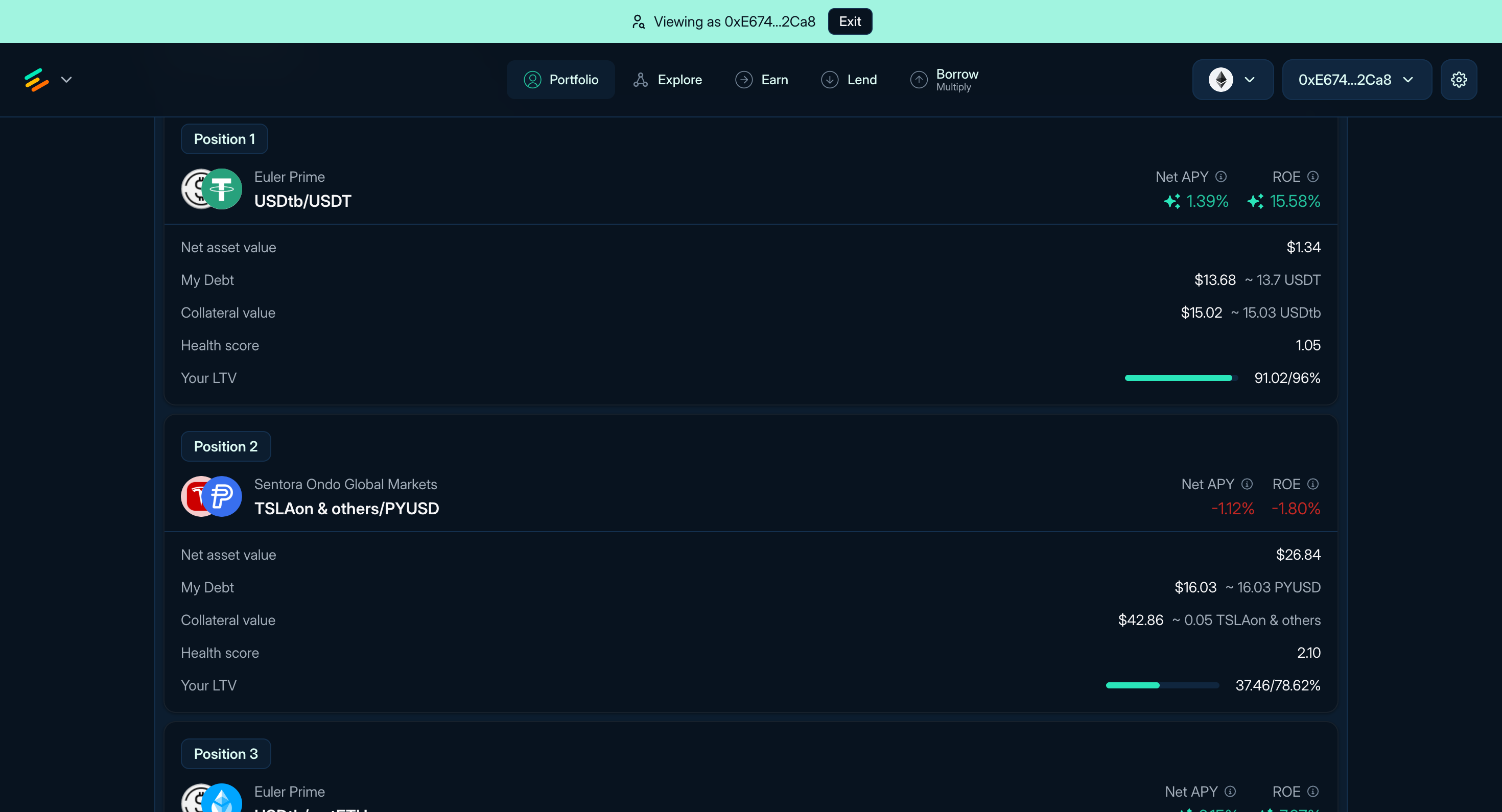
Figure 1: Borrow and Multiply positions in Portfolio
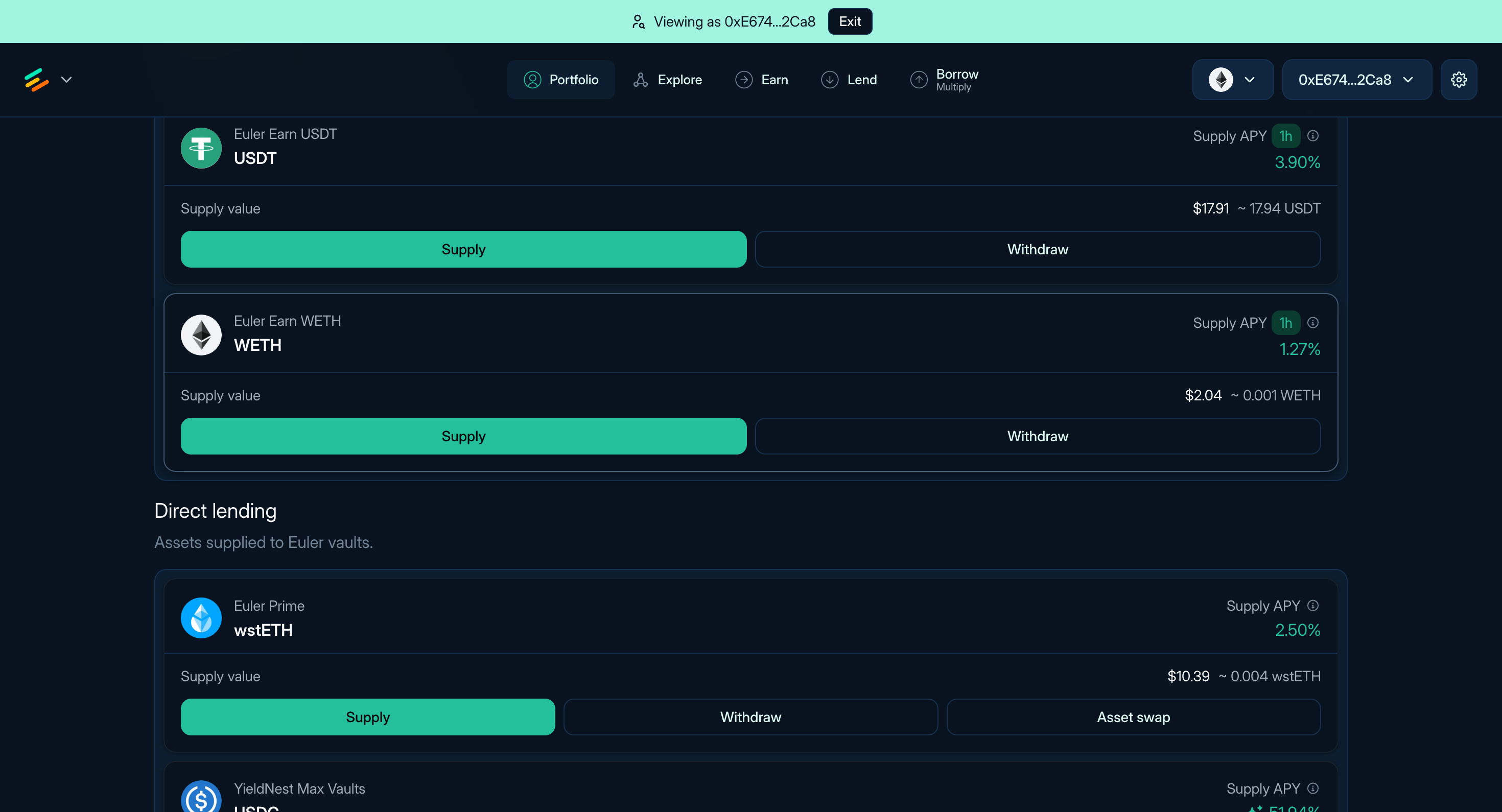
Figure 2: Earn and direct lending deposits in Portfolio
The position detail page is where you add collateral, withdraw collateral, borrow more, repay debt, use Multiply, swap collateral, transfer shares, or disable collateral where the account remains valid.
Liquidation risk
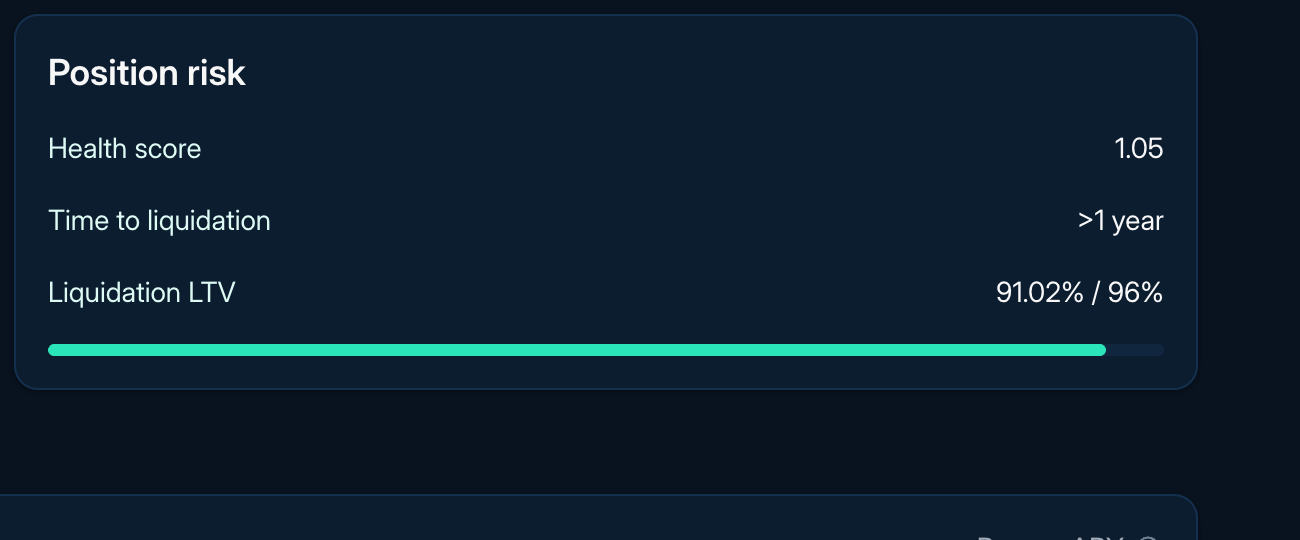
Figure 3: Position health display
A standard EVK account can enter liquidation when, at raw onchain values, its risk-adjusted collateral is not greater than its liability. A health score displayed as 1 may be rounded, so consult raw values and transaction simulation. During liquidation, a liquidator takes over selected debt and receives collateral at the current liquidation discount. The resulting liquidator account must satisfy the applicable controller, collateral, vault, and EVC checks.
A position can become liquidatable when risk-adjusted collateral falls relative to liabilities because of price or oracle changes, interest accrual, or parameter changes. Limited liquidity can make it harder or more expensive to reduce risk or unwind, but it does not itself determine account status. If a position remains below the threshold after one liquidation, it can be liquidated again.
To reduce liquidation risk:
- Keep health score above 1 with a buffer that fits the volatility and liquidity of the position.
- Watch liquidation price where shown, LTV, Liquidation LTV (LLTV), collateral price, debt price, rates, and available liquidity.
- Add collateral, repay debt, reduce leverage, or close the position before health falls too far.
- Treat third-party alerts as helpful but not guaranteed.
Euler uses a reverse Dutch auction style liquidation discount. A position only slightly below the threshold generally receives a smaller discount, while a deeply unhealthy position can offer a larger discount up to the vault's configured maximum. For the mechanism-level explanation, read Liquidations.
Rewards and rEUL
Rewards appear in Portfolio when reward data is available. Claimable reward tokens show token amount, estimated market value, and claim actions.
If you claim rEUL, Portfolio shows the amount, accrued EUL amount, and maturity information. For details, read Reward EUL.
Read next: Managing positions, Borrow, Multiply, and Troubleshooting.