

Review and monitor supplied assets
Use this page after supplying to a vault, including an Earn vault. Vault state can change after deposit, so check Portfolio and the vault page before adding, withdrawing, or using the deposit as collateral.
Find and compare vaults
The Lend page lists direct lending vaults. Compare the underlying asset and market, curator, current Supply APY, total supply, collateral exposure, utilization, and available liquidity. Open a vault to inspect its collateral relationships and live parameters rather than choosing from the headline rate alone.
What to monitor
- Supply APY: displayed annualized rate. Open its breakdown to distinguish base lending APY from any intrinsic APY or reward APR. Each component can change independently.
- Utilization: how much supplied liquidity is currently borrowed. High utilization can increase rates and reduce available withdrawals.
- Available liquidity: assets available for withdrawal or borrowing.
- Exposure: collateral vaults connected to the supplied vault.
- Governor and parameters: who can manage selected settings, plus caps, fees, oracle routes, and liquidation settings.
- Rewards: active incentive APR estimates may be added to a headline rate and can change independently from the vault's base APY.
- Earn allocation: for Earn vaults, review strategy exposure, allocator activity, management roles, fees, and withdrawable liquidity.
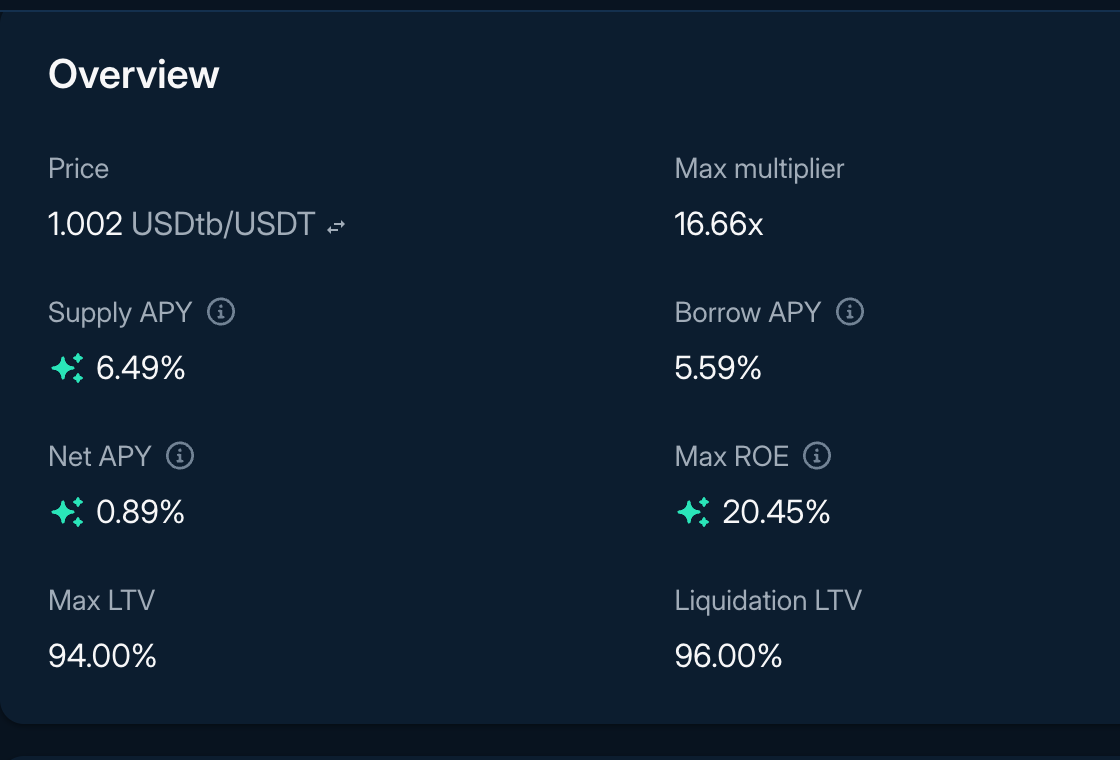
Figure 1: Supply APY breakdown
Deposits as a collateral source
Direct lending deposits are not automatically collateral for an existing Borrow or Multiply position. When opening a supported position, the app can use a deposited balance as the collateral source and prepare the actions that move or supply it into the separate position account. Review the source account, destination account, supplied amount, approvals, resulting LTV, health, and wallet prompt before signing.
Withdrawing or changing exposure
Withdrawals depend on available vault liquidity and require a blockchain transaction. You may not be able to withdraw the full amount immediately if most assets in the vault are borrowed.
From Portfolio, direct lending deposits can support:
- Supply: add more assets to the same vault.
- Withdraw: remove assets when liquidity is available.
- Asset swap: exchange one deposited asset for another through the app's swap route where supported.
Earn withdrawals
For an Earn vault, withdrawability depends on the vault's cash, the liquidity and withdrawal behavior of allocated strategies, the withdrawal queue, allocation state, and any realized loss. Check the current maxWithdraw or maxRedeem result for the account before assuming the displayed share balance can be withdrawn immediately. A withdrawal may traverse configured strategies in queue order and can return less underlying than an earlier valuation if a strategy has recognized losses.
Read next: Supply assets, Portfolio and liquidation, Vaults, and Markets.