

Open Multiply
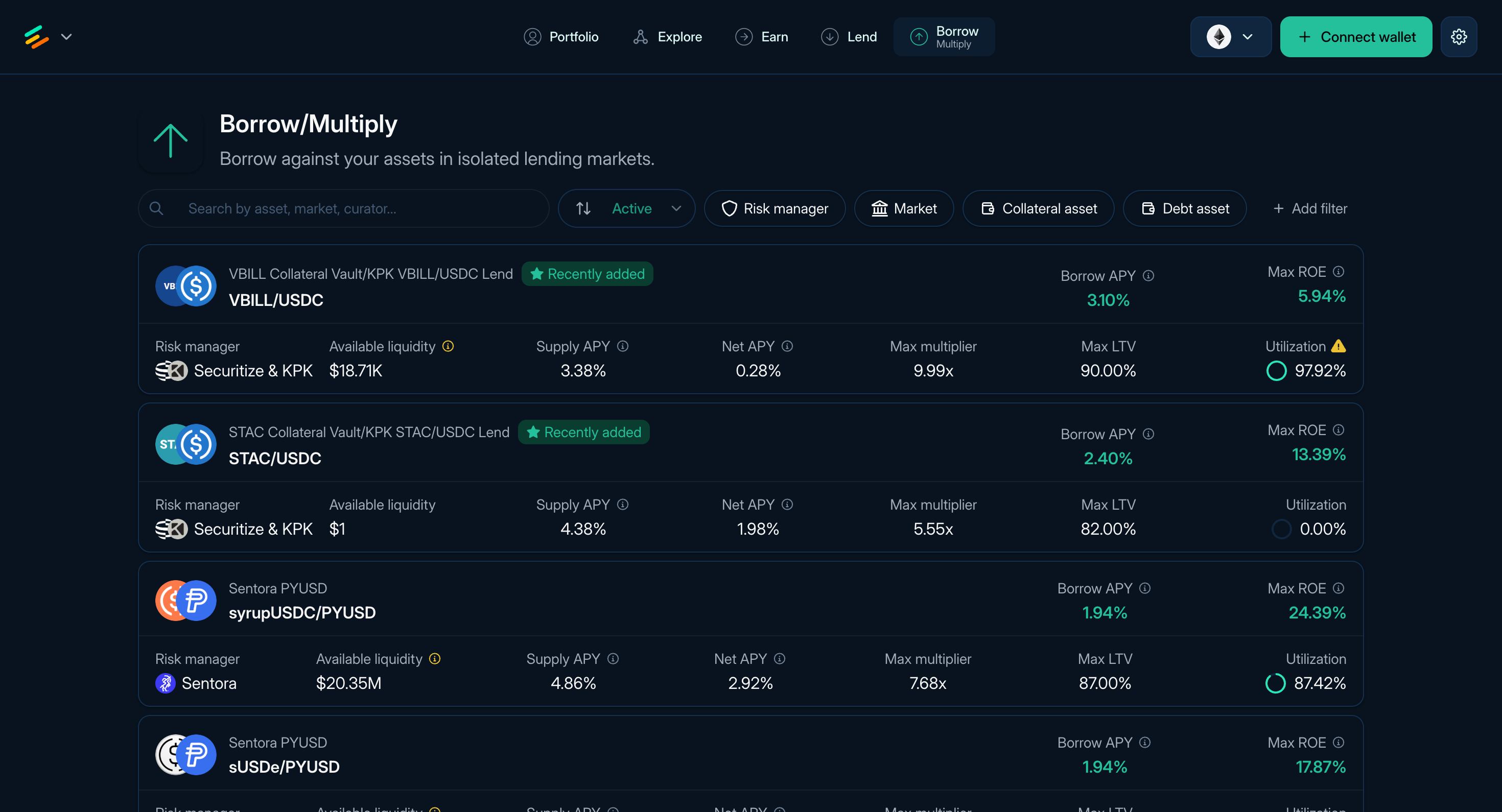
Figure 1: The Borrow page of Euler
Multiply is the leveraged position flow inside the Borrow page. It builds a larger collateral position by borrowing the debt asset, swapping it for more collateral, and supplying that collateral back into the position. Where a route is available, the app prepares these actions as a batch. A token approval or permit may still require a separate wallet prompt.
What Multiply does
When you choose a multiplier, the app estimates the sequence needed to borrow the debt asset, swap it into more collateral, and supply that collateral back into the position.
This lets you choose a target multiplier without manually repeating the borrow, swap, and supply loop. It increases exposure to the collateral asset, but it also adds debt and makes the position more sensitive to price moves, rates, liquidity, and swap execution.
Find a Multiply pair
The Borrow page (app.euler.finance/borrow) lists collateral and debt pairs that can be opened as Borrow or Multiply positions where supported.
Each row can show the curator, asset pair, Borrow APY, Supply APY, Net APY, Max ROE, maximum multiplier, Max LTV, utilization, and available liquidity. Open a pair, then select the Multiply tab.
The Borrow and Multiply forms share the same pair page. Before choosing a pair, compare the collateral and debt assets, curator, current Supply and Borrow APYs, Max LTV and Liquidation LTV, oracle route, available liquidity, estimated Max ROE, and maximum multiplier. Headline rates and limits can change with vault and market conditions.
Open a Multiply position
- Select the Multiply tab on the pair page.
- Enter the collateral amount you want to start with.
- Set the multiplier.
- Review multiplier, ROE, current price, liquidation price where shown, LTV, health score, swap route, expected amounts, price impact, slippage tolerance, gas estimate, and token approvals.
- Confirm the transaction in your wallet.
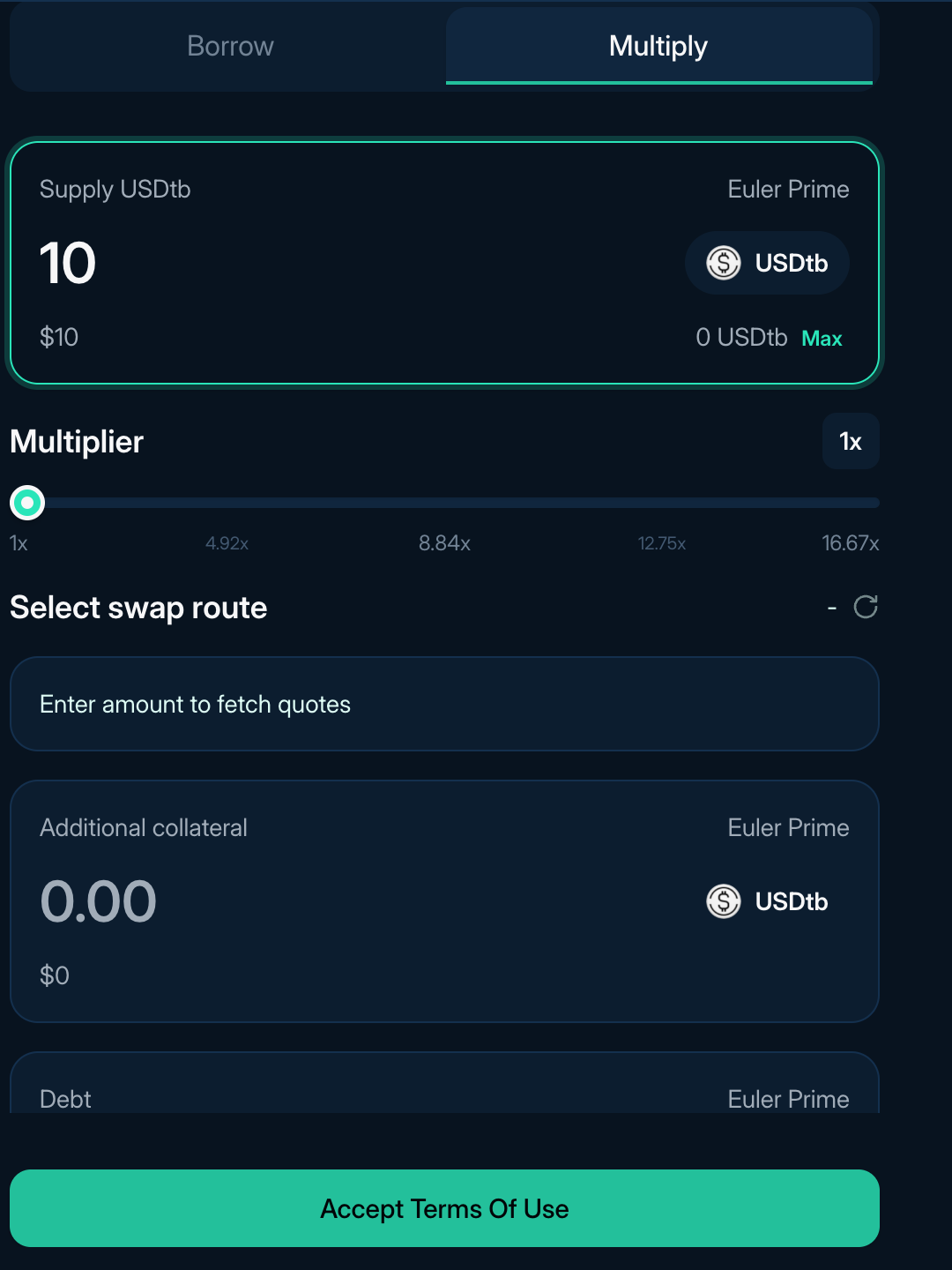
Figure 2: The Multiply form on a Borrow pair page
Review the swap
The transaction summary should show the debt amount being swapped, expected collateral received, route, price impact, and slippage tolerance.
- Slippage tolerance is the maximum adverse difference the transaction accepts between the quote and execution. If execution would return less than the permitted minimum, the transaction should revert.
- Price impact is the effect of the trade size on its execution price. Multiply swaps the borrowed amount needed to reach the target position, so the swap can be large relative to the margin you supplied.
After opening
Multiply positions appear under Positions in Portfolio alongside Borrow positions. Use the position page to add collateral, repay debt, change the multiplier, or close the position where supported. See Manage Multiply for the metrics and swap details to monitor.
Read next: Manage Multiply, Strategy profitability, and Portfolio and liquidation.